
Home / Features / Email outreach

Email outreach from your own mailboxes.

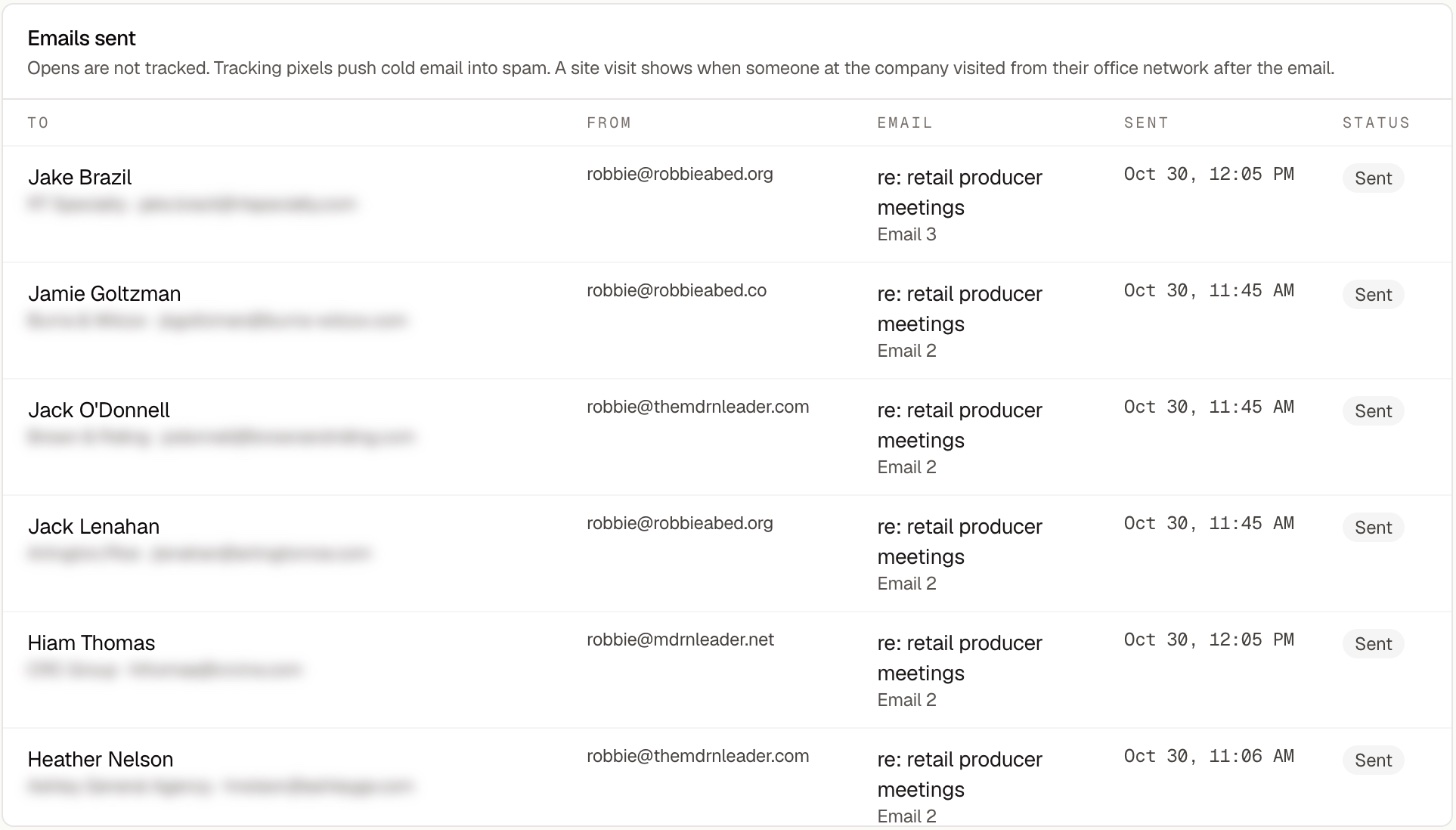
Emails sent from a campaign, each from a different one of the owner's mailboxes
Shown in a live account. Each email goes from one of your own mailboxes. Contact details blurred.

Connect your mailboxes and add people to a campaign. ProducerSpark sends the sequence from your own addresses, rotates across your mailboxes and reads each reply to tell you who is interested.

We build the list and draft the emails. 100 free prospects with business emails, no card required.

How it keeps your domains out of spam

Cold email lives or dies on deliverability. These are the checks every send goes through.

Rotation across your mailboxes

  • Connect Google or Microsoft mailboxes and switch each one into rotation.
  • Each first email goes from the mailbox with the most room left today. Follow-ups stay on the same mailbox, so the thread holds together.
  • No mailbox ever sends more than 25 a day. Set a lower limit on any mailbox; your daily total is the sum of your mailboxes.

Spacing and sending hours

  • At least 15 minutes between emails from one mailbox, 20 by default.
  • Weekdays from 9 to 5 in your time zone unless you change it. Anything outside the window waits.
  • Limits count over a rolling 24 hours, not a calendar day.

A slow start for every new mailbox

  • No fake warm-up traffic. A new mailbox sends 5 real emails its first day and 5 more each day it sends, up to 25.

Domain health before the first send

  • SPF (including nested includes), DKIM and DMARC are checked for your domain, with Google or Microsoft steps for anything missing.
  • A mailbox sends only after a test email arrives with SPF, DKIM and DMARC all passing and a test reply comes back. Both are checked again every 30 days.

Daily inbox placement checks

  • Every mailbox in rotation sends one plain-text check a day to another of your mailboxes. Two minutes later we read where it landed: inbox or junk.
  • One check in junk sends you an alert. Two in a row pause that mailbox until you resume it.
  • Each mailbox shows sent, bounced, replied, complaints, and its bounce and reply rates over 7 and 30 days.

Bounces, complaints and replies

  • A bounce stops email to that address. Two hard bounces in 7 days, or one spam complaint, pause the mailbox.
  • Any reply stops the sequence: a personal reply, an out-of-office or a reply on LinkedIn. Each personal reply is read and marked interested, not interested or neutral.
  • Every email carries a one-click unsubscribe header.

Guards on who gets what

  • No open or click tracking pixels. They push cold email into spam.
  • Only verified business addresses are emailed. Nobody is in two sequences at once, and nobody emailed in the last 90 days gets another campaign's first email.
  • An email with an unfilled {{placeholder}} never sends.